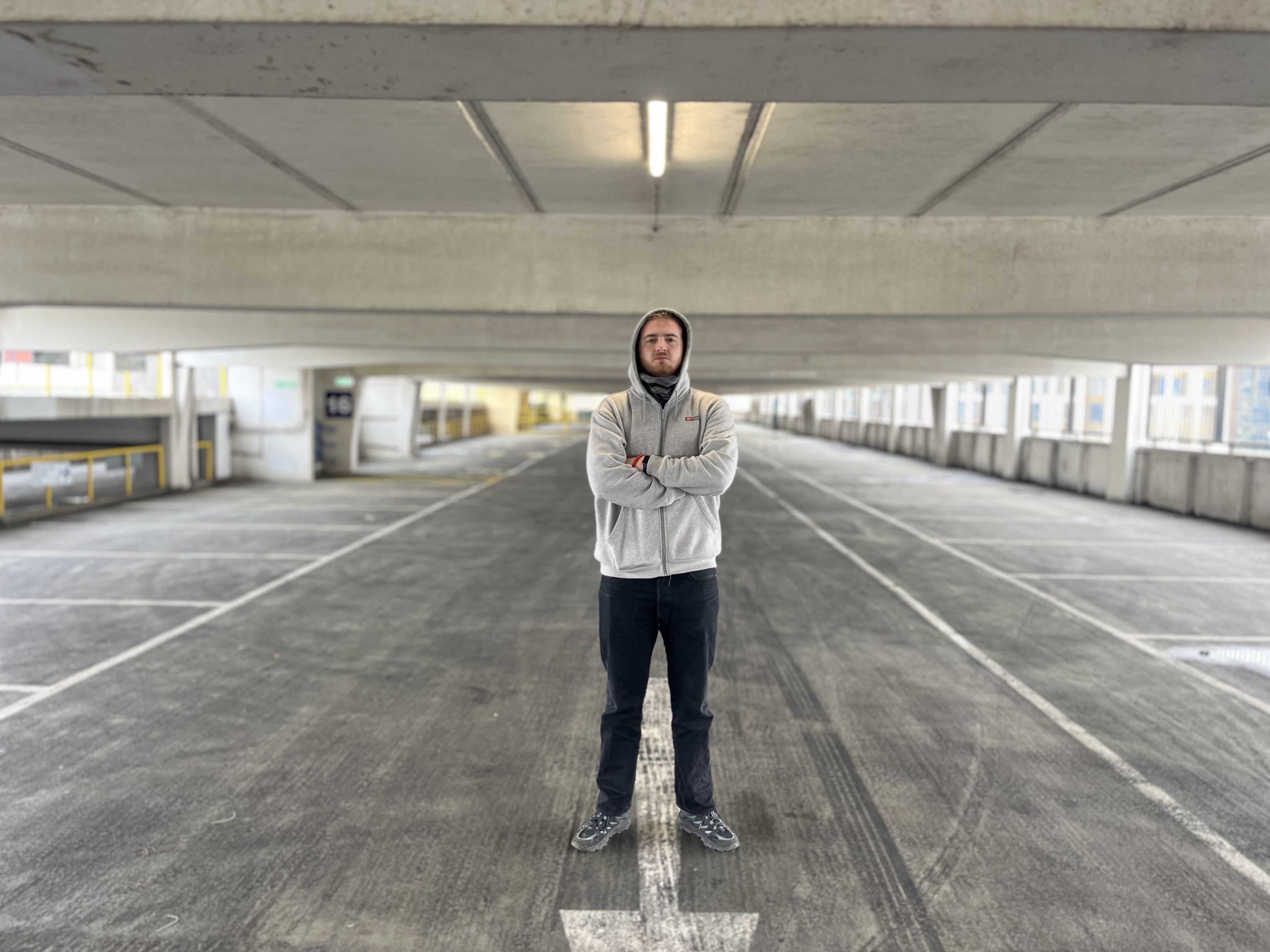
During the process of taking the photographs I used my phone and went onto portrait mode and used the slider which alters the F-stop and for this in particular image I set the F-stop to 1.4 so that less light came into the lens and the image came out like this with a shallow depth of focus.
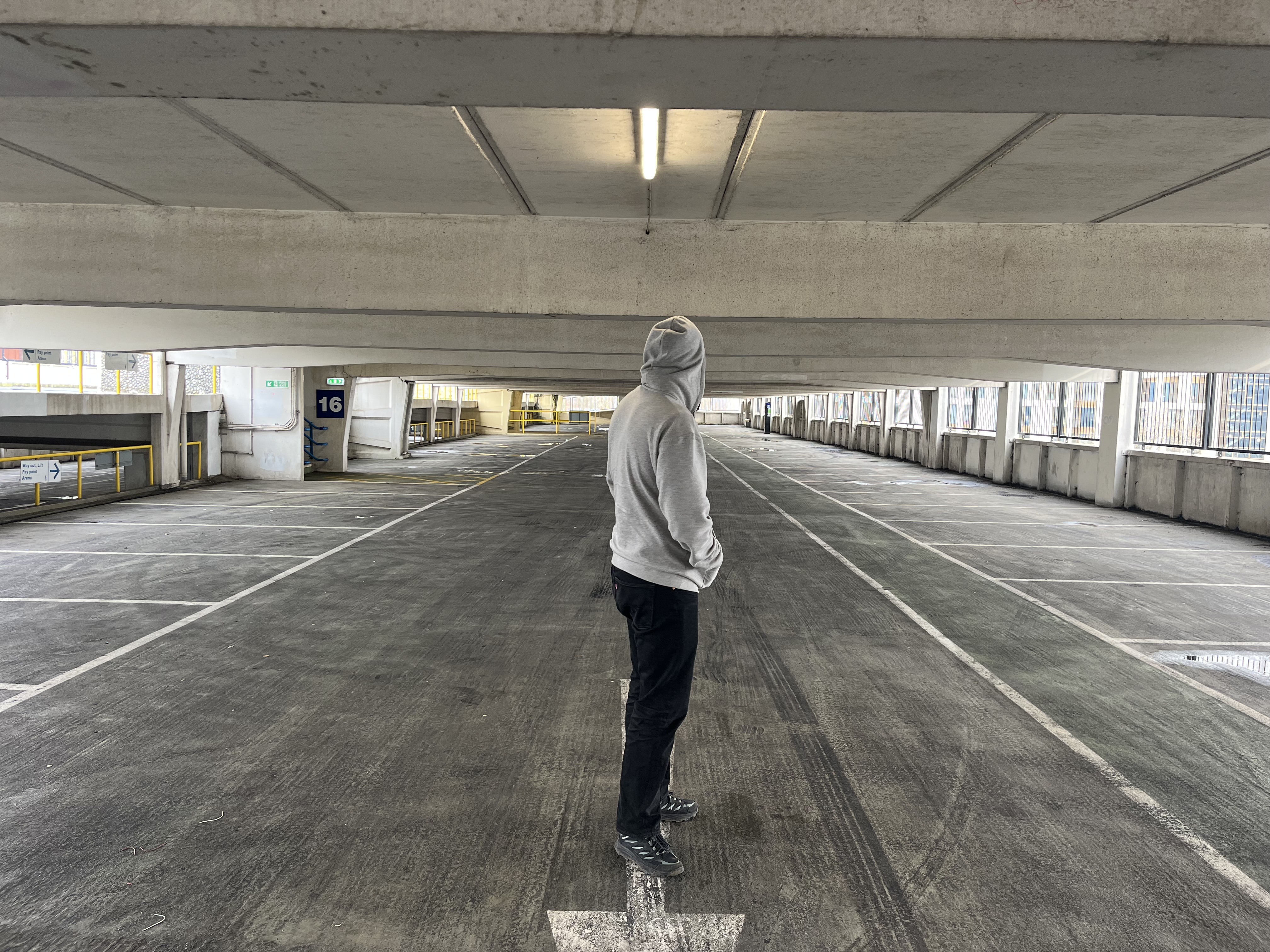
For this image I again used my phone and set the F-stop to a middle number so that the lens was open but not fully so that it had more of the image in focus but if you look in more detail the number 16 on the left hand side is still slightly more blurry then the image below.
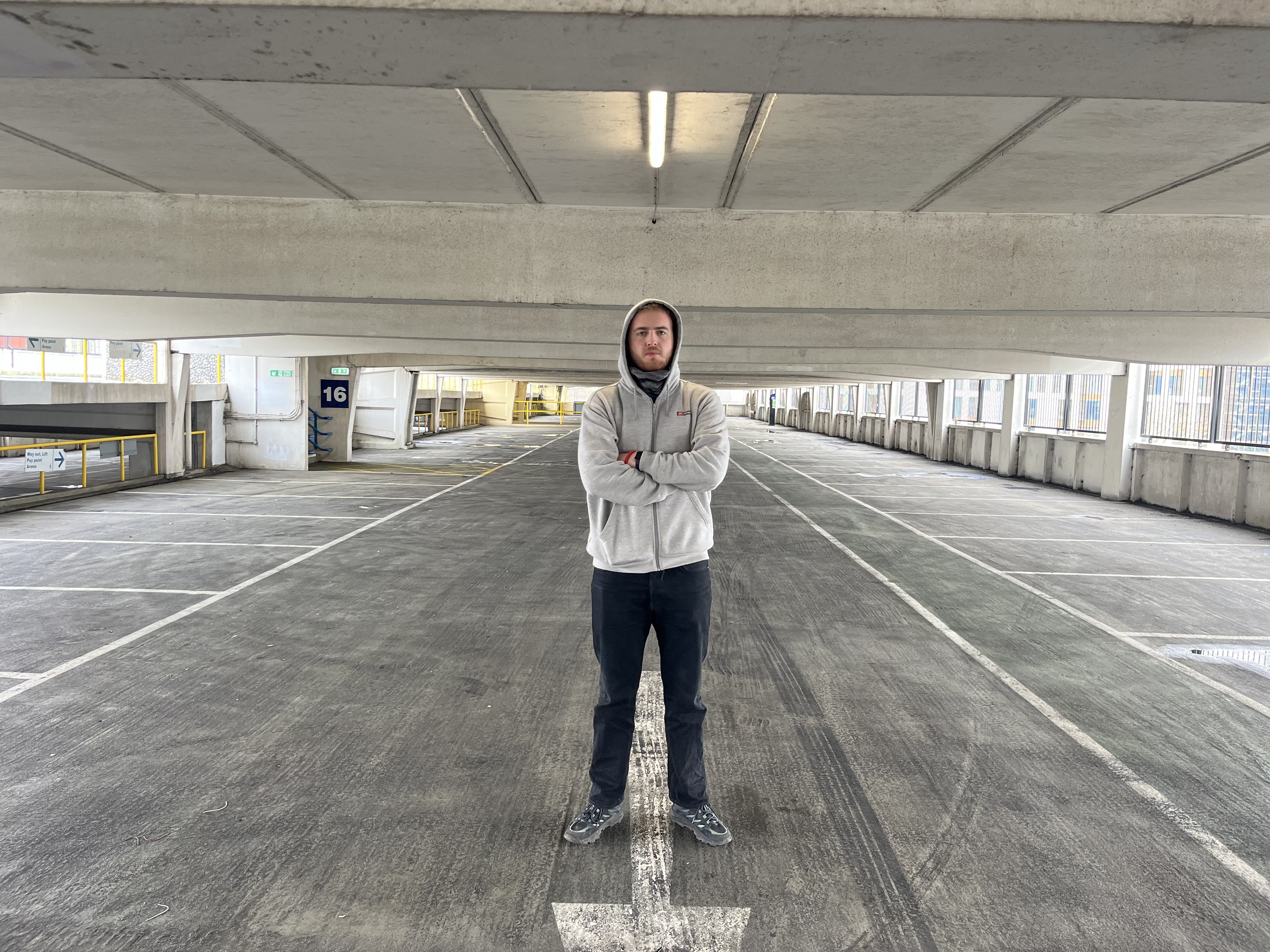
For this final image I set the F-stop as high as possible which is 16 on my phone allowing as much light as possible to come through the lens meaning that all of the image is in focus and it is a crisp image which is good but for this image I prefer the top one where all the focus is on the subject rather then the surrounding area.

 Photographic Journalism
You must be logged in to post a comment.