Weeks One to Eight Reflection:

Week One:

This was our first class in our photojournalism module, and was a good chance to gain an understanding of what is expected of us over the next twelve weeks or so.

I have always enjoyed taking photos since I was young and have always edited them on my phone, and cared about how good they look, particularly when visiting new places, so I am quite looking forward to this module and gaining a good understanding of how to do this professionally.

For the task this week, we had to go out and find a story that we could pair with a couple of well taken photos, considering how they are framed and what is in the foreground and background. I found finding a good, interesting story a challenge so went with an easy option that was close to home.

For this reason, the story was not so adventurous, but I believe that my photos were framed well, as well as being aesthetically pleasing for an initial attempt.

Week Two:

In this week we learned all about the different types and subgenres of photojournalism. It was interesting to learn about each technique, from reportage to documentary photography.

We also learned about illustrative photography, which is: ‘Photography that illustrates journalism.’ It was interesting to learn about the process, and how the story has to become before the photos in this case, and then the photographer has to seek to take photos that will only help to tell the narrative of their story to the reader.

Documentary was the technique that interested me most, as it is all about capturing real life moments, with nothing being staged. I particularly enjoyed looking at social and candid photography, as there’s nothing more interesting than ordinary people. I think it resonates more with me, as it is realistic and I consider myself to be a realist.

Week Three:

This week we were taught about the importance of getting the basics right in photography, as a lot of us are brand new to the task, for example resizing and cropping an image correctly and accurately.

We were also taught about different formats of photos, such as JPEG, GIF or PNG files, the most common one being JPEG image files, probably because it is able to compress files into much smaller sizes than others, and is also compatible with all major web browsers.

Then we learned about why every photo that we publish must have a caption, in order to keep a strong narrative in a story, whilst also having an ALT text, which is read out loud for viewers who have not got use of their vision and acts as an audible description of an image.

We were then set three tasks covering the basics. First I had to take a portrait image and turn it into a landscape one, which was done successfully, simply by cropping the top half of the image and then resizing it. I then had to take an image and resize it to 1920 pixels in width. Finally, I had to convert an image into a JPEG file.

Week 4:

This week, we looked at focus, aperture and depth of field. I already knew and understood focusing quite well, due to my experience of shooting video; however, have had no experience of using F stop to vary my depth of view on a camera.

This was interesting, as I learned that it can make some ordinary photos look so much more appealing to the eye, simply by focusing more on the foreground of an image, and keeping the rest of the background out of focus. This is done with a low F stop. For example, when taking a photo of an individual athlete, you should use a low F stop, so the focus of the image is on the athlete, rather than the large crowd behind them.

We were set the task to go and take a range of photos with our peers both outdoors and indoors, experimenting with various uses of F stop. I found that you could get a deeper field of view outdoors, due to better lighting and more space.

Week 5:

In this weeks class we focused on ISO and shutter speed. I learned that ISO stands for International Standardisation Organisation, and the ISO number reflects how quickly the camera caught the image on film.

Taking photographs on using different shutter speed leads to different outcomes of images. For example, if you take a photo of high-speed vehicles using a low shutter speed, it will come out blurry. This can be used to create a blurry effect with moving objects, whilst having still elements of the image.

When using a fast shutter speed, you can effectively capture movement in a still image, with the image remaining clear. This is very useful to myself as a sports journalist, because I will be taking photographs of live sport, and athletes who are moving at high speeds. Keeping my camera settings on a high shutter speed will allow me to capture clear images of fast-paced movements.

For our task, I had to take photographs of someone jumping on a fast shutter speed. For this I had to use ‘Live photos’ on my phone. I had never understood the use of live photos, but now I know you can select a single frame as a still of the image, and it effectively acts as a fast shutter speed on an iPhone.

I also had to take a photo using a low shutter speed, without live photos on to try and create a blurry, slow shutter speed effect. I found it hard to get it to look like the examples that we have seen. This may be due to poor lighting.

Week 6:

This week was online tutorials. I looked at the module so far, and went over what I learned. I started putting some thought into my project this week. I want to align it with my journalism project, so would like to relate it to football, and specifically non-league football. This is because it is more accessible, and you can get up close to the pitch to get good shots of a match. It is likely that I write a piece surrounding Farsley Celtic, at this point, as I have worked with the club before.

I also used this week to catch up on a couple of Workshop tasks that I needed to finish off, which involved taking a few more photos, in order to show my understanding of techniques and what we have learned.

Week 7:

This week’s class was all about colour correction and lighting, and the post production period of photography. We were informed about Snapseed, and taught how to use it for colour correction on photos.

Now, we are looking at the more technical side of photography, in post production, I am finding the module more challenging than at the beginning. I found the cropping a bit more challenging than I did with colouring, and editing the photos.

This week’s task was to edit a raw photo, and show a before and after and explain what changes were made to the photo. I enjoyed this task, as it was interesting to change different parts of the photo, and see what works and what does not. I think the ‘after’ photo looked good, and that I was successful in making the photo look better aesthetically.

Week 8:

This week, I began to work on my project, by heading to Altrincham vs Oldham to take some photos for my article. I got as close to the pitch as I possibly could, and made sure to get good light. I took a wide range of photos, many of which I am sure will not be used, as a lot were blurry. However, I did struggle to get capture images with the camera quite as well as I was on my phone.

Using the Live Photo feature on my iPhone, I was able to capture multiple stills of high-speed actions on the pitch. I got some really good looking shots of slide tackles, and players in intense moments of the match, and was happy with the outcome. The next step is to put them through post-production in the near future. In some of the photos it is quite overcast, so the lighting is not perfect and the images aren’t very vibrant, so I would like to make them a little bit warmer. I also managed to get some crowd shots both during, and after the match.

The impact of televising non-league football

What better way to spend your bank holiday Monday, than going down to watch your local non-league football team play? On Monday 1st April, 5th placed Altrincham FC hosted 9th placed Oldham Athletic, in a clash that saw two sides with an eye on the play-off spots go head to head.

Moss Lane opened its gates to a season best of 4578 supporters this easter Monday, including over a thousand travelling Oldham fans. The atmosphere had an extra excitement and buzz to it on this occasion, due to the presence of TNT sports and their cameras.

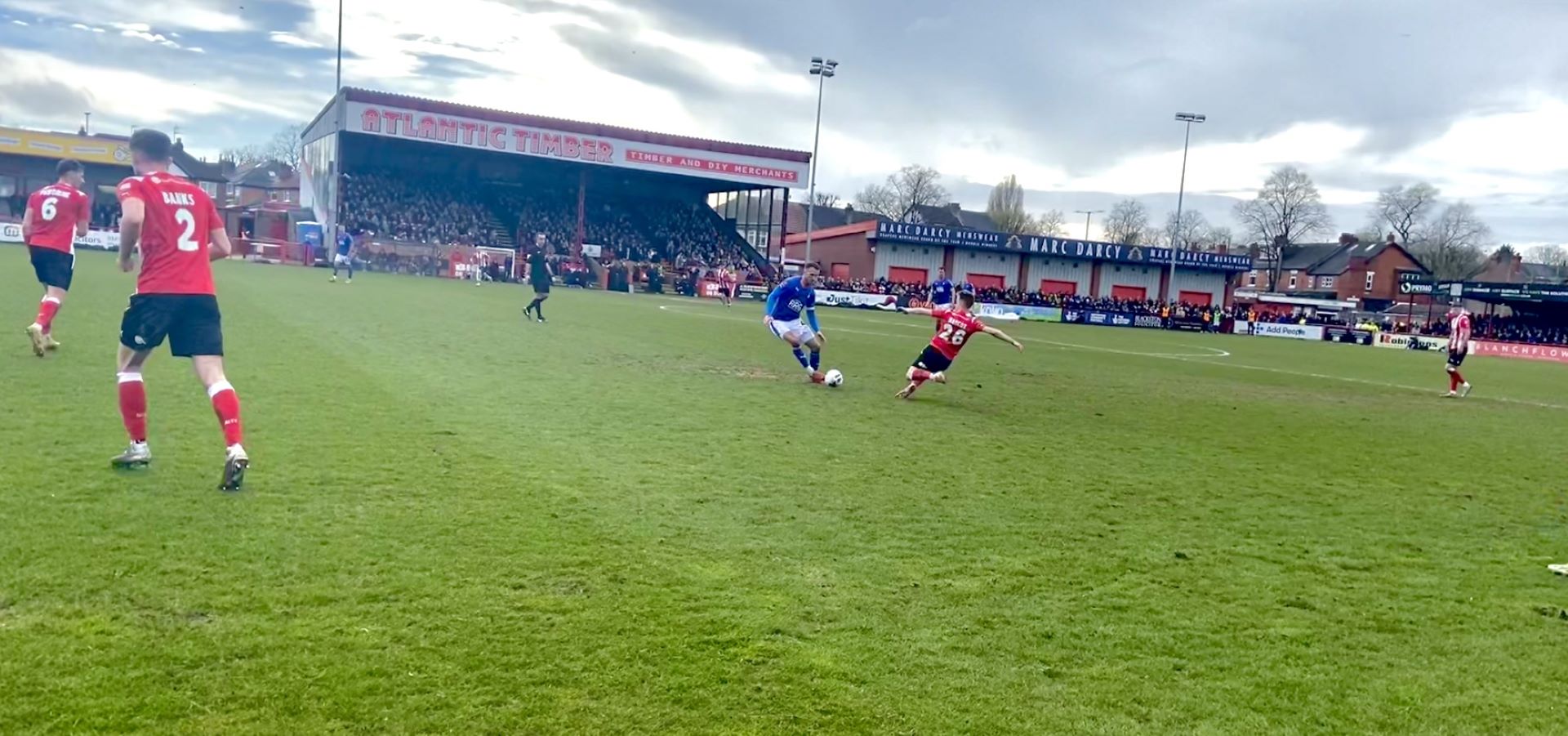
Altrincham's number 26 lunges towards his opponent.
A crunching slide tackle from Alty's number 26 as he clatters into the opponent.
A proper non-league crunching tackle.
Some afters and stern words from Oldham's number 4, Liam Hogan, who was on the receiving end of that crunching tackle.
A bit of afters between the two players involved in the tackle.

Throughout the 23/24 season, TNT sport are showing a total of 45 live matches from the national divisions. These mostly come from the National League, including the play-offs, but also includes a number of matches selected from the National League North, and The National League South divisions.

For non-league clubs, players, and fans, the prospect of their matches being aired live by one of the country’s largest sport broadcasters is a huge opportunity for a wide range of reasons. By bringing the national league to wider audiences, TNT Sport are increasing the visibility of the game below The Football League.

How exactly does this benefit clubs like Altrincham FC, who only became a fully professional side the season before, or a club like Oldham Athletic who were once one of the founders of The Football League, but have since faced severe financial hardships?

Arguably the greatest benefit of having their matches aired live on national television is the financial benefits that it brings to these clubs, but how does this work?

Former BBC Sport producer of Football Focus, Final Score, and Match of the Day, Carl Hicks explained:

‘There are revenues generated from the rights fees that are paid by broadcasters, much of which goes to the clubs. Then there is an opportunity for extra revenue to be made from advertising and sponsorship deals, such as perimeter pitch advertising and shirts and stadium sponsorships.’

This financial increase that is generated from broadcasters, can be a huge help for non-league clubs to achieve financial stability, as a lot of them work on extremely tight budgets. This is particularly critical in our modern post-pandemic world of sport, where many clubs are still recovering form the losses of match-day revenue throughout that period.

One worry with televising matches at this level, is that with the facilities and crowd sizes not seeming the level of the top tier sides, it could make the experience less enticing to some people, and could potentially stop the viewer from feeling a need to support that team, or take away the desire to go and watch their local team in person if it is being shown on the television.

‘Broadcasters and non-league clubs need to sit down and work in partnership to come up with ideas that make the viewing experience better. A simple change is ensuring that the majority of the crowd, and the best section for atmosphere is placed opposite camera one – the master coverage camera. A ground doesn’t even have to be full to create a lively atmosphere, but it helps if the clubs more passionate fans are visible more often.’ Hicks stated.

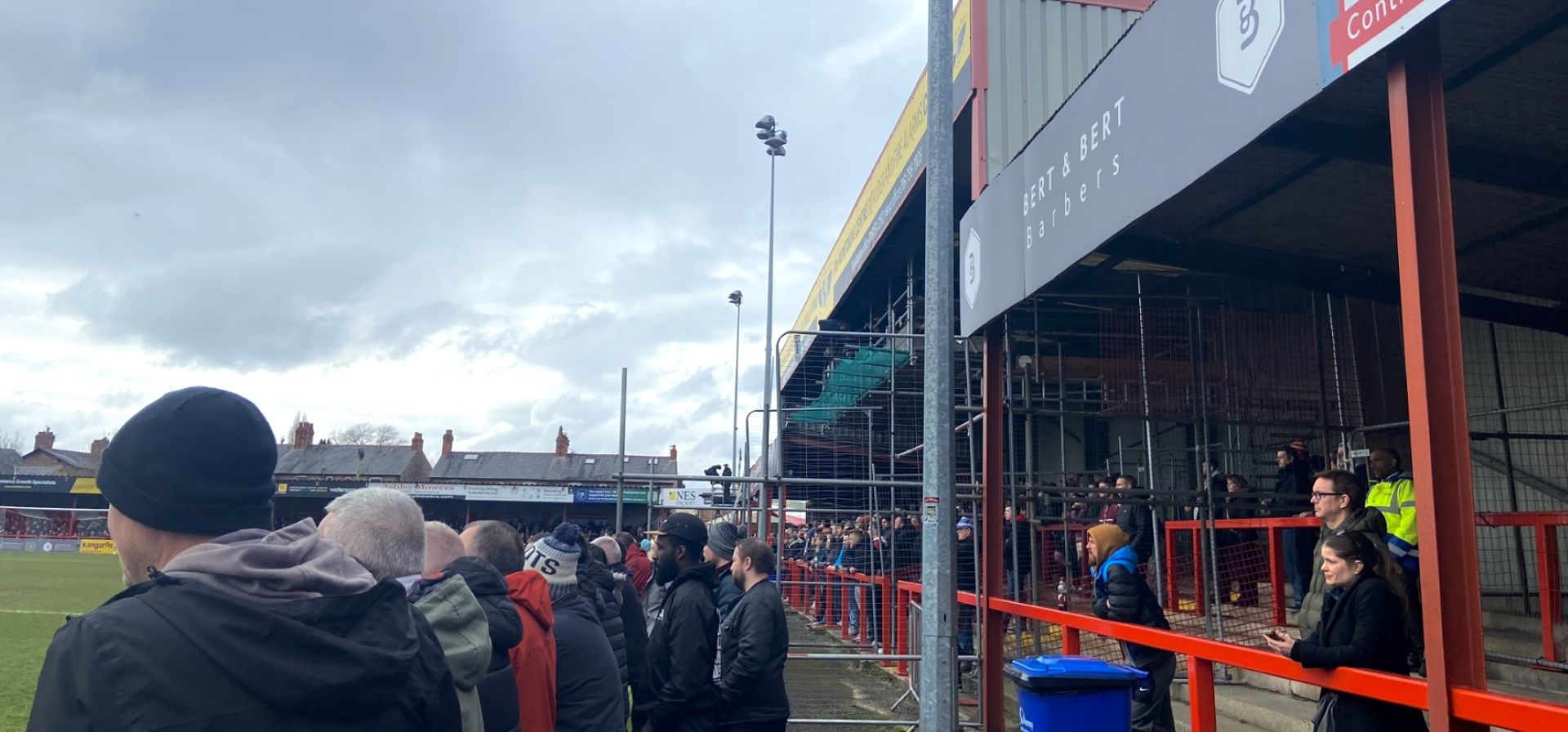
Altrincham supporters look on over a cagey first-half.

It is also true that broadcasters have a lot to gain from covering non-league football in England. It gives them a great chance to diversify their current range of football shown, and taps into a new audience, even if smaller than the global reach of other competitions. However, it also opens the door for more advertising. This helps make televising non-league football a sustainable revenue stream for broadcasters, which is essential in order for it to continue to grow. Furthermore, broadcasters can grow their own brand to show themselves as supporters of all levels of the beautiful game. Particularly, as often non-league clubs have close links to junior and grassroots football teams. But, what more can broadcasters do to continue benefitting themselves, the clubs, and the fans alike?

‘Broadcasters need to be innovative. There is an opportunity to do things at the lower levels that you might not get higher up the football pyramid. For example, live cameras in the dressing rooms pre and post match, microphones on officials or even coaches, or ‘fan cams’ along with strong social media output aimed at bringing a new, younger audience to the National League, are all avenues worth exploring.’ Hicks suggested.

It is not just the league matches that these clubs have the chance to play in and gain exposure from, as clubs from the very bottom tier of English football get the chance to compete in England’s most prestigious, and oldest cup competition. The FA Cup. Hicks explains just why the cup is so special to these smaller clubs:

‘The FA Cup is the single most important competition for non-league clubs in terms of their development and opportunities to showcase their clubs and players live on TV. The revenues gained for these teams on successful cup runs can provide vital funding for ground improvement, squad development, and recruiting new spectators. Teams like Maidstone United going to win at Ipswich Town just shows people that the gaps between the top leagues and the National League is actually not that great. This only brings more fans to non-league, as it assures them that they are watching a game that is played at a genuinely strong, high skill level.’

The nature of the FA Cup as a competition is a huge benefactor for non-league clubs.

‘Football is the most watched sport in the world, firstly because the opportunities for such shock results like we see in the FA Cup rarely exist in other sports. Put simply in rugby union, or rugby league you do not see as many upsets.’

Currently, the FA Cup matches from Round 1 onwards are shown live on BBC and ITV, which is a huge boost for non-league football, as it is available for everyone in the country to watch.

Hicks told us exclusively, ‘BBC TV will still be involved with live matches and highlights when the new contract begins next year, which is greatly beneficial for non-league clubs in this country.’ However, the possible implementation of removing replays from Round 3 onwards could prove to be a blow to the story-telling and financial boosts for these teams undoubtedly.’

Fans of non-league clubs all over the country have displayed their disappointment with the removal of replays, as it could prevent them with some once in a lifetime opportunities, whilst also stripping their beloved clubs of another source of revenue. Yet, these fans are the heartbeats of clubs like Altrincham and Oldham, who without them would simply not be able to exist.

Oldham's Dan Gardner prepares to commit to a strong 50/50 challenge.
Oldham’s Dan Gardner does not shy away from a strong 50/50.

For a lot of these fans, televising non-league greatly enhances their own personal engagement with the sport, if they for whatever reason can’t go to the match, whether it be due to prior commitments, or geographical reasons they can still connect with their football club. In addition, a lot of these small clubs are at the core centre of their communities and local areas. They can provide a real sense of identity in small towns and communities across the country. These fans and communities can gain such a great level of pride from seeing their small-town club live on air to national audiences, giving them each a true sense of belonging.

Now, having mentioned the communities that are the homes of a lot of non-league football clubs, it is important to recognise the impacts that broadcasters have on them as a whole. Increased levels of tourism can be generated from televised matches, as it puts the area on the map, and pushes the stadium as a landmark for people to come and visit if they have seen it live on the television. It is also apparent that locals are more eager to attend matches when the broadcasters are in town, giving local businesses such as cafes, pubs or hotels the chance to benefit economically. This can have great impacts on smaller businesses and their employees, which in the long term helps to improve small towns and communities.

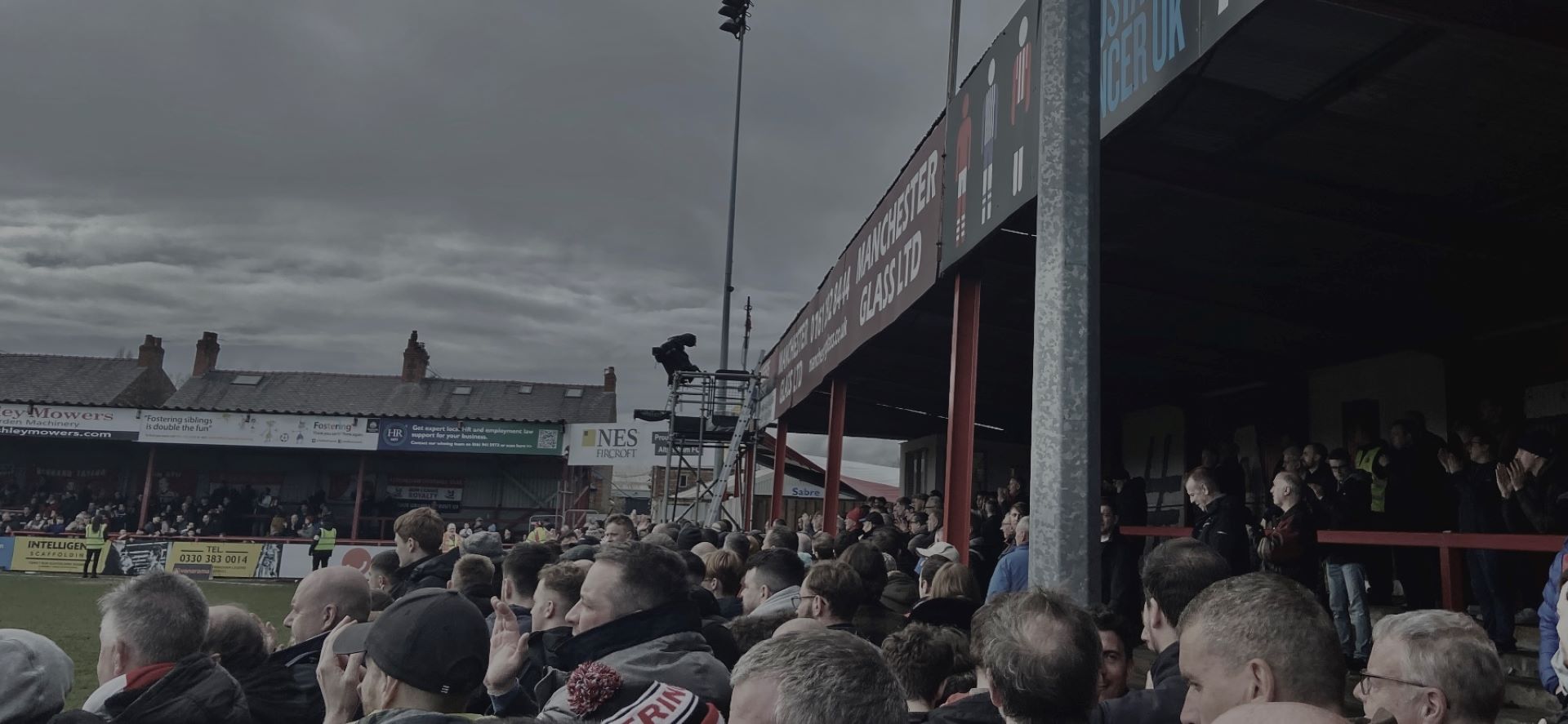
Altrincham fans watch on for the final ten minutes as their side looks to hold on to a 1-0 lead.
Altrincham fans watch on excitably as their team try to hold onto their 1-0 advantage.

In addition to this, non-league football clubs are in a very fortunate position to be able to work closely with their local people and communities. They can use some of the money that they earned from selling sponsorship deals or broadcasting rights back into local community projects, and regenerating areas in need, whilst greatly benefiting local initiatives.

One group of individuals who I have yet to mention in terms of benefitting from televising non-league, is the up and coming players who are amongst the teams competing. There are immense opportunities for players at this level to showcase their abilities to a wider audience, and the more eyes they have watching, the more people they need to impress in order to further their careers. Not only will other, bigger clubs be watching, but agents too will be keeping an eye open for promising potential clients, which would open doors for these national league players to take the huge leap into The Football League.

It may be the obvious one, but take Jamie Vardy for example. He spent years battling in the depths of the National League, and was able to build a remarkable career. This would never be possible though without media exposure, showing how greatly it can kick-start a player’s career and take them to new heights.

Not only does this help the players, but yet again the knock-on effect helps the clubs financially. Bigger clubs in The Football League are likely to offer a lot of money to sign these sort of players, which greatly benefits the parent club of the player. Take Vardy for example, he was sold from the conference all the way up to the Championship for a total of £1million. This sort of money goes such a long way for small clubs, allowing them to build and grow more and more into the future. Compare this to the most expensive player of all time signed by a non-league club is just £300,000 when Wrexham’s Ollie Palmer signed for the Hollywood owned club.

Overall, the opportunities and benefits that non-league clubs have the potential to access are huge when it come to the increase of televising the National Leagues. For the clubs, they have the financial benefits short term, and long term have the potential to grow and bring new eyes onto their football team, creating possibilities of a bright and financially stable future. For fans and local communities, the chance to celebrate their achievements and feel proud of their club and their community, with the additional benefits for the surrounding area and their local economy. For the players, the extra exposure that they might need to gain momentum in their careers to work their way up the English football pyramid, as they all dream of doing.

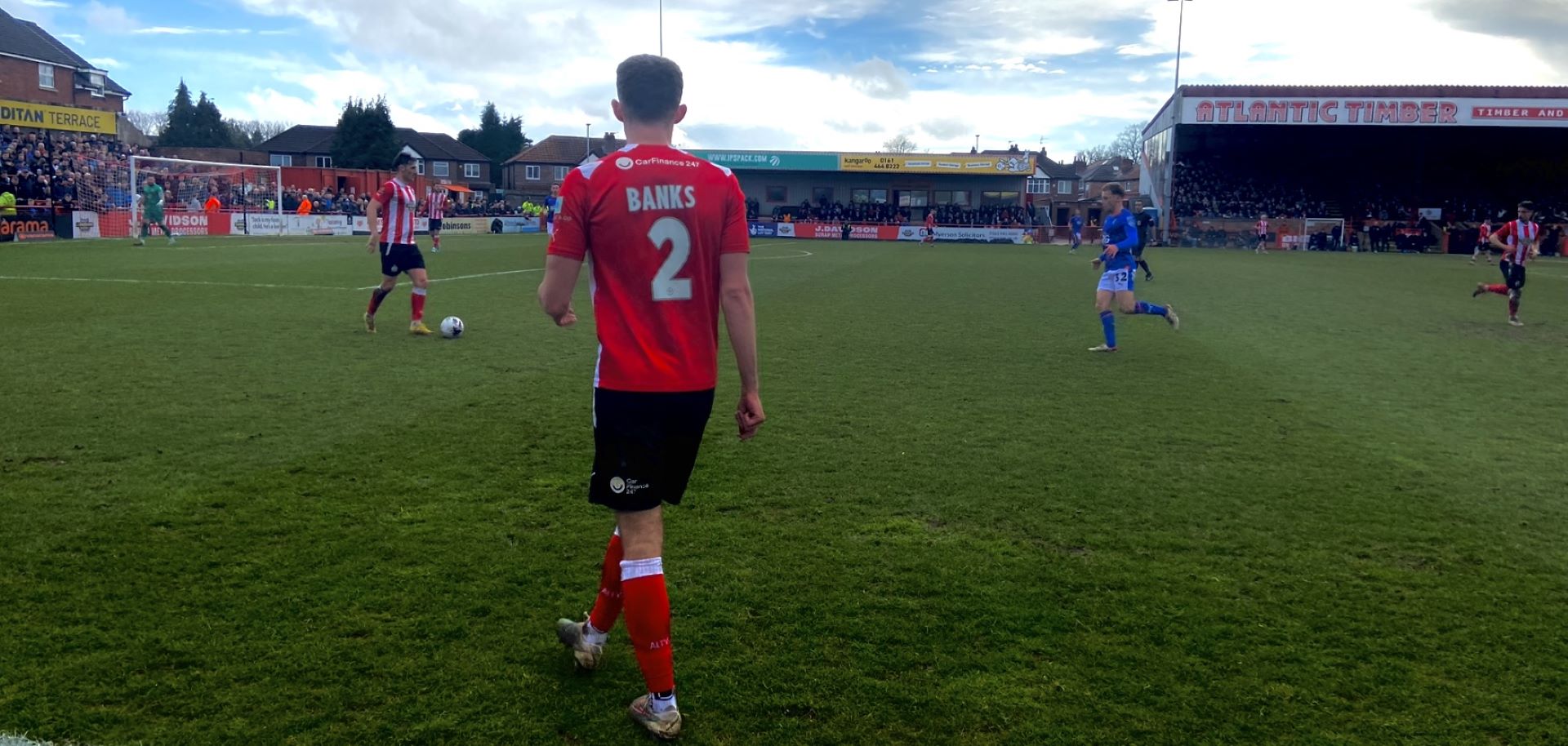
Lewis banks, Altrincham FC's Young Player of the Season.
Lewis Banks, Altrincham’s number 2

The broadcasters, right now TNT, have a responsibility to keep producing live TV at this level sustainably, to not only allow for non-league clubs to flourish, but in order to keep building their own brand, and expanding to new audiences themselves.

If we continue to see live non-league football being aired every week, then we should expect to see more growth from the clubs involved, along with the pleasure of watching more high quality football, which is one of the greatest triumphs of the English football pyramid. The fact that the 5th and even 6th tier of football is such a good standard and so exciting to watch is a real testament to the clubs, their players, and the broadcasters who bring them to our screens every week.

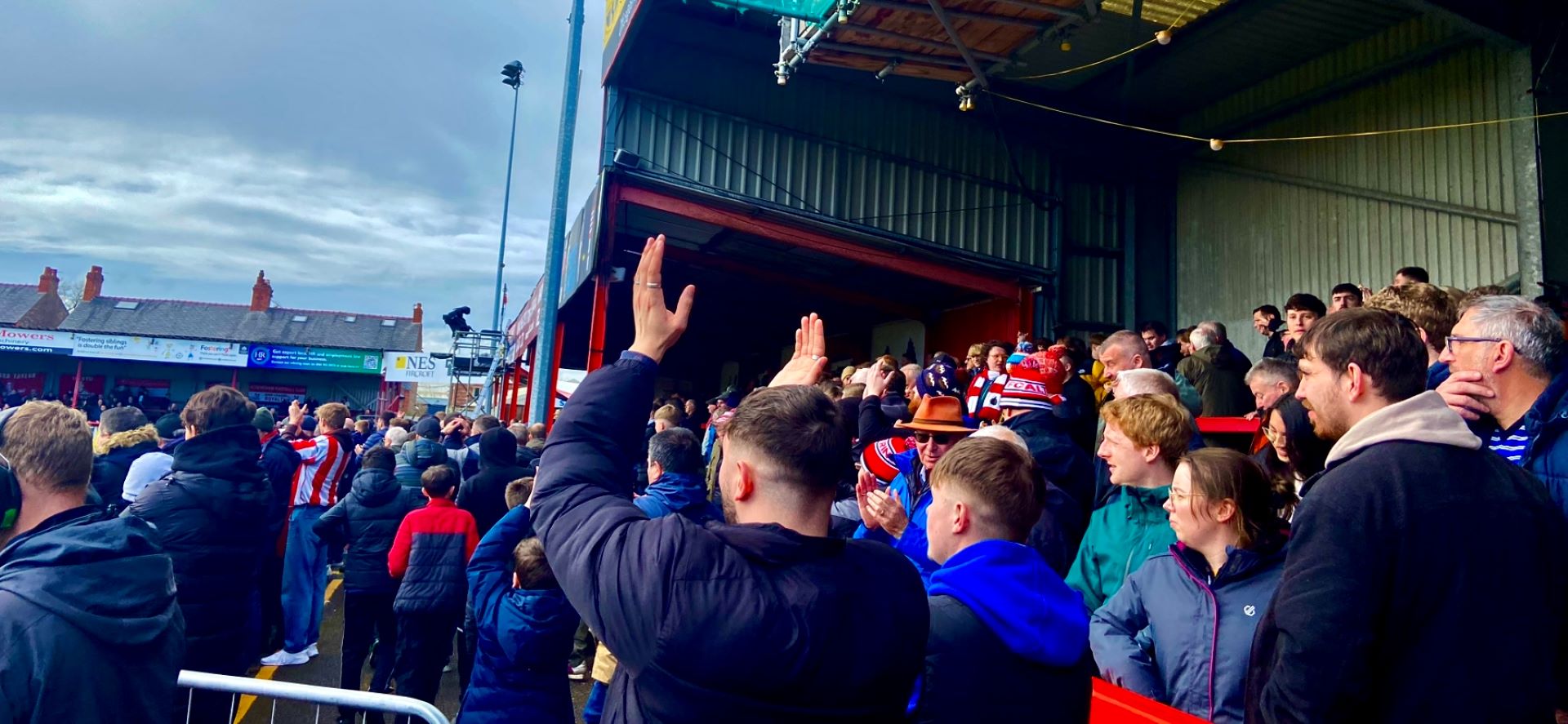
The Altrincham faithful leave with their hands together for their side, coming out victorious.

Week 8 Onwards:

Monday 15th April: At this point in the module, I have a wide range of photos that I have taken, many of which will never see the light of day. However, I have learned some good new photography skills and techniques, along with developing my editing skills when it comes to enhancing images. In terms of progress, I have an idea for my long form written article with 8-12 photos, but just need to focus on it. I attended a non-league football match at Altrincham FC that was televised over a fortnight ago, which will be the basis of my article, which will focus on the effects of televising non-league football.

Monday 22nd April: One week on since my last reflection, there is very little to add. My independent journalism project has caused a huge shift of my attention, and has meant that I have made no more progress on my photojournalism. However, here is my to do list:

  • Complete outstanding workshop tasks and reflections
  • Put my images through post production, ensuring that they are all up to the required quality
  • Research my topic, and plan my article
  • Contact a primary source within the TV industry, who can highlight all the impacts of televising non-league football.

Monday 29th April: It has been another week of slow progress, having fallen ill shortly after I submitted my journalism project, so I took some time to recover after what was a rather hectic week. I began to plan my piece and started considering some of the impacts that TV has on non-league football clubs:

  • TV deals bring in great financial gain for these clubs
  • Exposure for players, and the club itself
  • Brings communities together. Makes them proud to be there and be a part of it
  • Brings new audiences to non-league football
  • Allows for future development, with increased revenue and awareness, making sponsorships more likely.

Over the last couple of weeks of this module, I will be piecing together all of my unedited and edited images for workshop tasks, as well as getting in touch with potential primary sources for my article, as this will be essential when it comes to providing the facts and evidence along with my own photos.

I feel confident writing this piece, as I have plenty of experience writing about non-league clubs, and understand the angle of television well too.

Task 7: Editing RAW photos

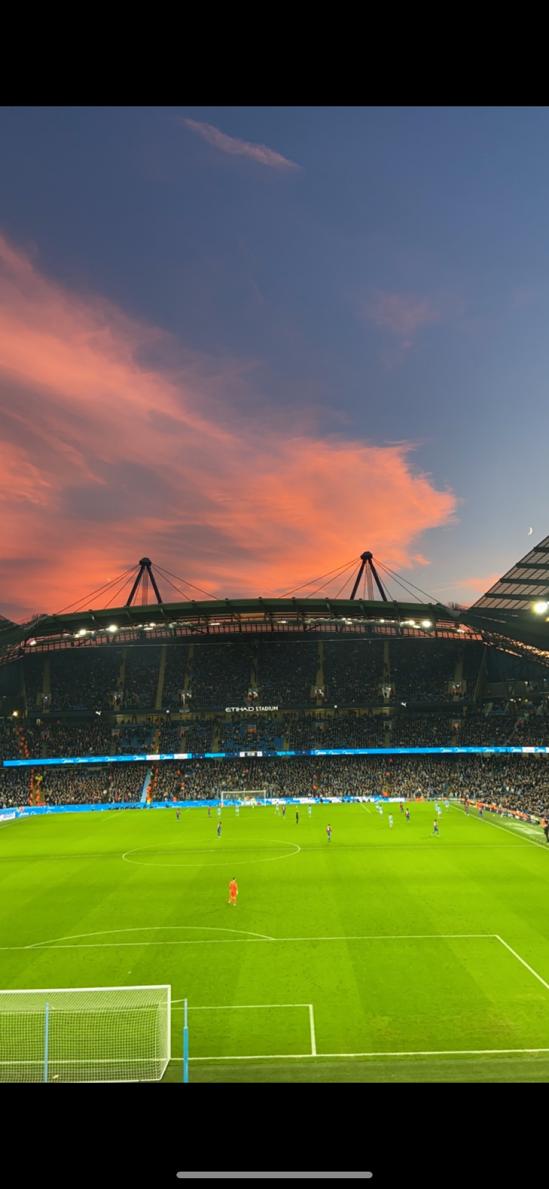
I chose to edit this photo, as although it is a stunning setting, it needs a lot of work. There is a lot of wasted space at both the top and bottom of the image, that can be cropped. I would also like to make more of a contrast between the sky and the stands.

Before:

After: I started by cropping the top and bottom of the photo, removing all the wasted space. I then used the perspective cropping tool to straighten the image, using the lines of the pitch as a guid to making it straight. I then increased the amount of shadowing and highlights that were applied to the image, which helped create the darkness of the stands. A slight increase in contrast just helped to enhance the redness of the sky, and the crescent moon in the top right of the image adds a nice touch.

Week 6 Task: Post production

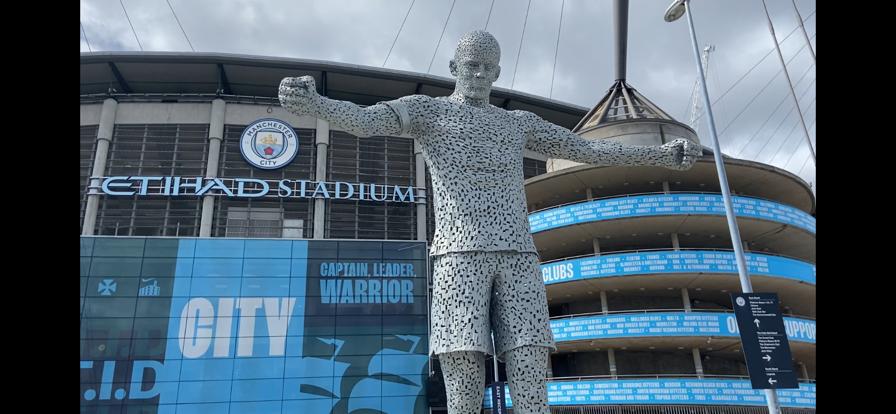
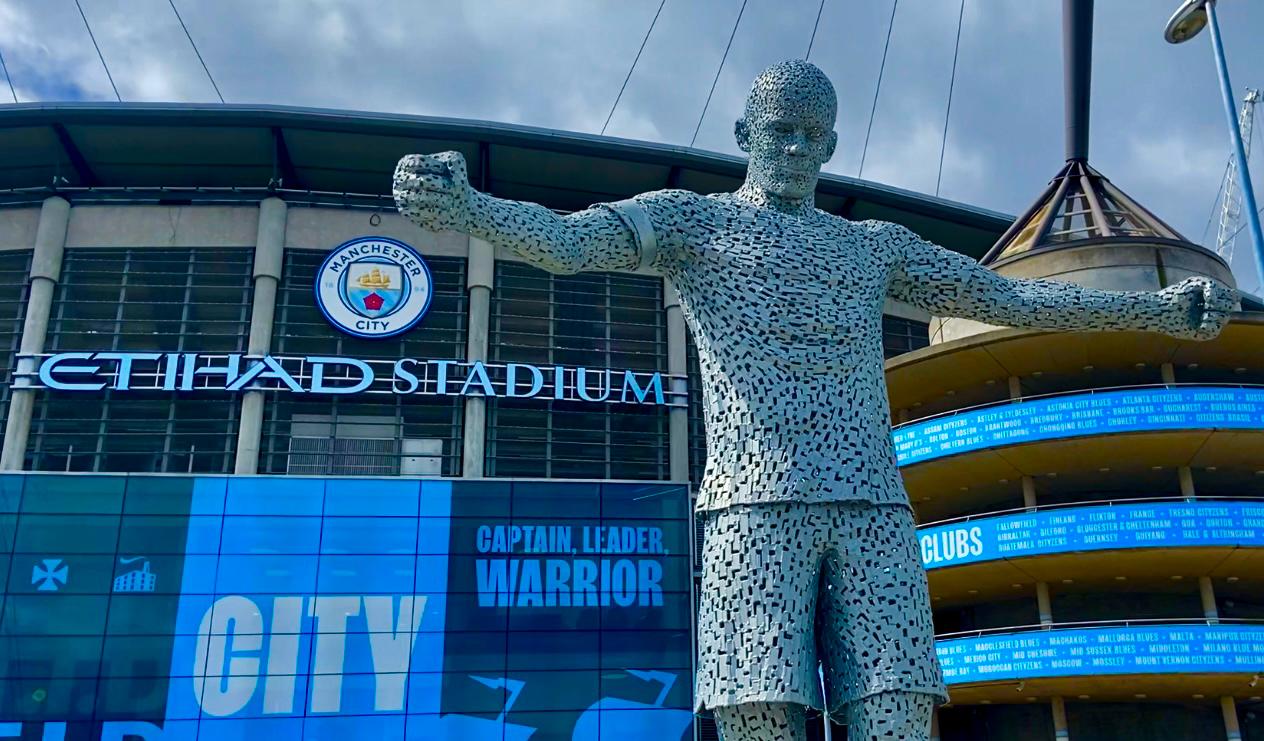
I chose this photo that I took to work on, because firstly, I really like it. Secondly, I feel as though it can be greatly improved with the right editing. I have decided to edit two separate versions of the same image, as I cannot decide which version I prefer.

Here is the original raw photo:

After: With this version, I wanted to make what was quite an overcast day seem a bit brighter and more vibrant. By increasing the contrast and the saturation ever so slightly, I was able to make the blue in the background stand out significantly more. I also cropped out the sign in the bottom right of the original image. I feel as though the vibrant blue helps to make the writing in the background stand out, which I think makes the image more potent.

After: For this edited version of my photo, I decided that quite a dark tone would make the image look really good, and rather ominous. The pose of the statue, and the clouds in the sky almost make it seem like quite a powerful and intimidating photo. However, I also wanted to try and keep some of the sky blue in the background shining through, which I think I managed fairly well. Overall, I think I prefer this version of the photo, as it suits the pose of the statue better, and gives the viewer the desired viewpoint. I started by again, cropping the sign and I then added shadows and highlights to the image to give it darker tones. I increased contrast and exposure slightly in order to punch the blue through a little bit. I then added a little bit more shadowing to the edges of the image to give that dark effect.

Week 5 Task: Shutter speed

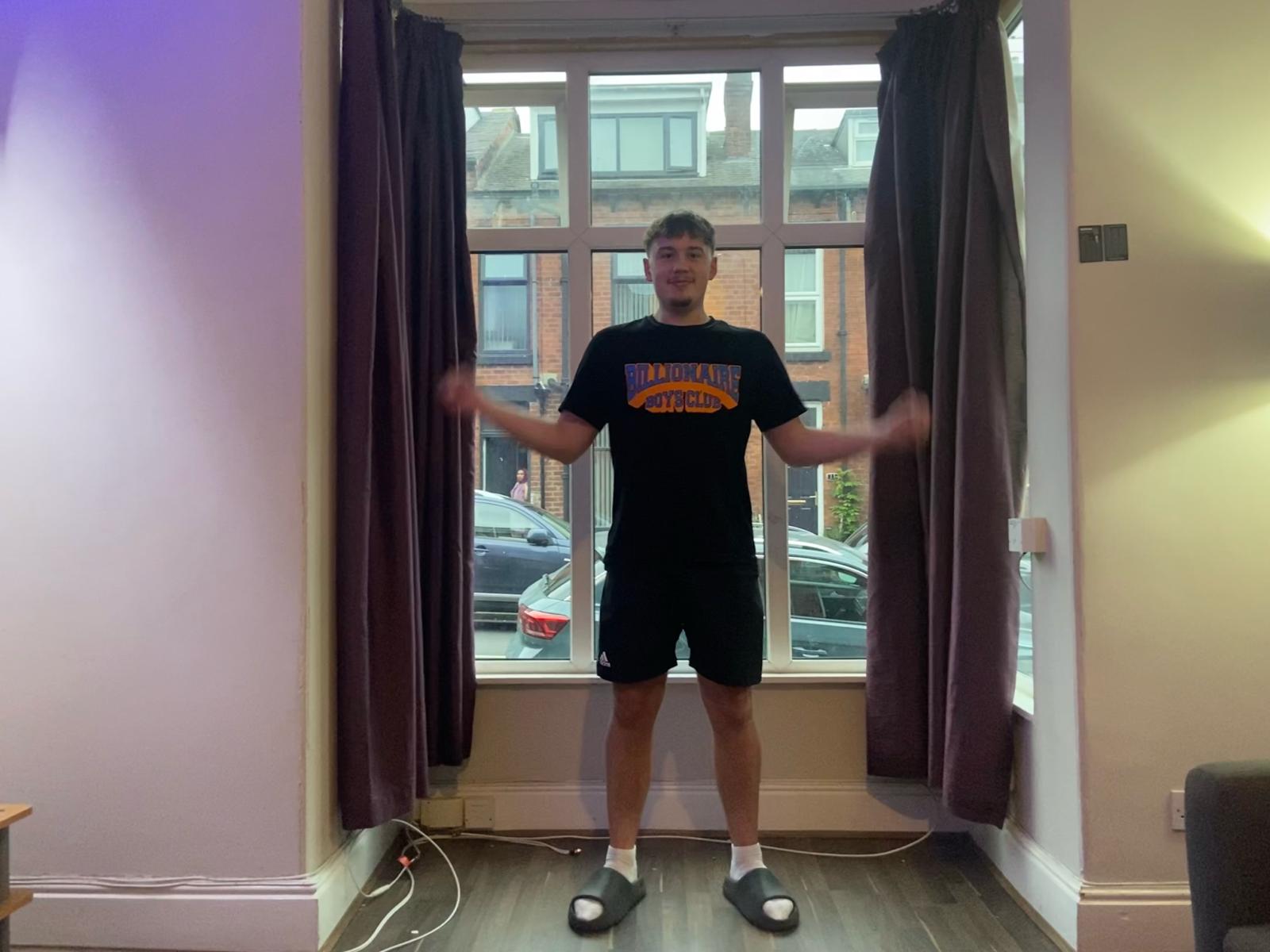
I took this photo of my friend using the burst mode on my camera. This image came out well, as he is not blurry, and at the peak of his jump it gives a levitating effect. I had to focus on getting the framing of this shot right, by giving him enough head space to jump into, whilst keeping the subject central in the photo and the room.

I took this photo using the live photo effect on my iPhone. This allowed me to choose a still from it, where only his arms are blurry, due to the fact that he was spinning them in a circular motion, creating a unique effect on small parts of the image around his arms.

Week 4 Task: Depth of field

This photo of Seven uses a low F spot, which means that the camera lets in less light, making the foreground (Seven) the only part of the image in focus.

This image of Seven uses a medium F spot, as you can tell by looking at the van in the background, which is still out of focus, but the bikes right behind him are more visible.

This photo of Seven uses a high F spot, which is why not only is he in focus, but you can make out more detail in the background.

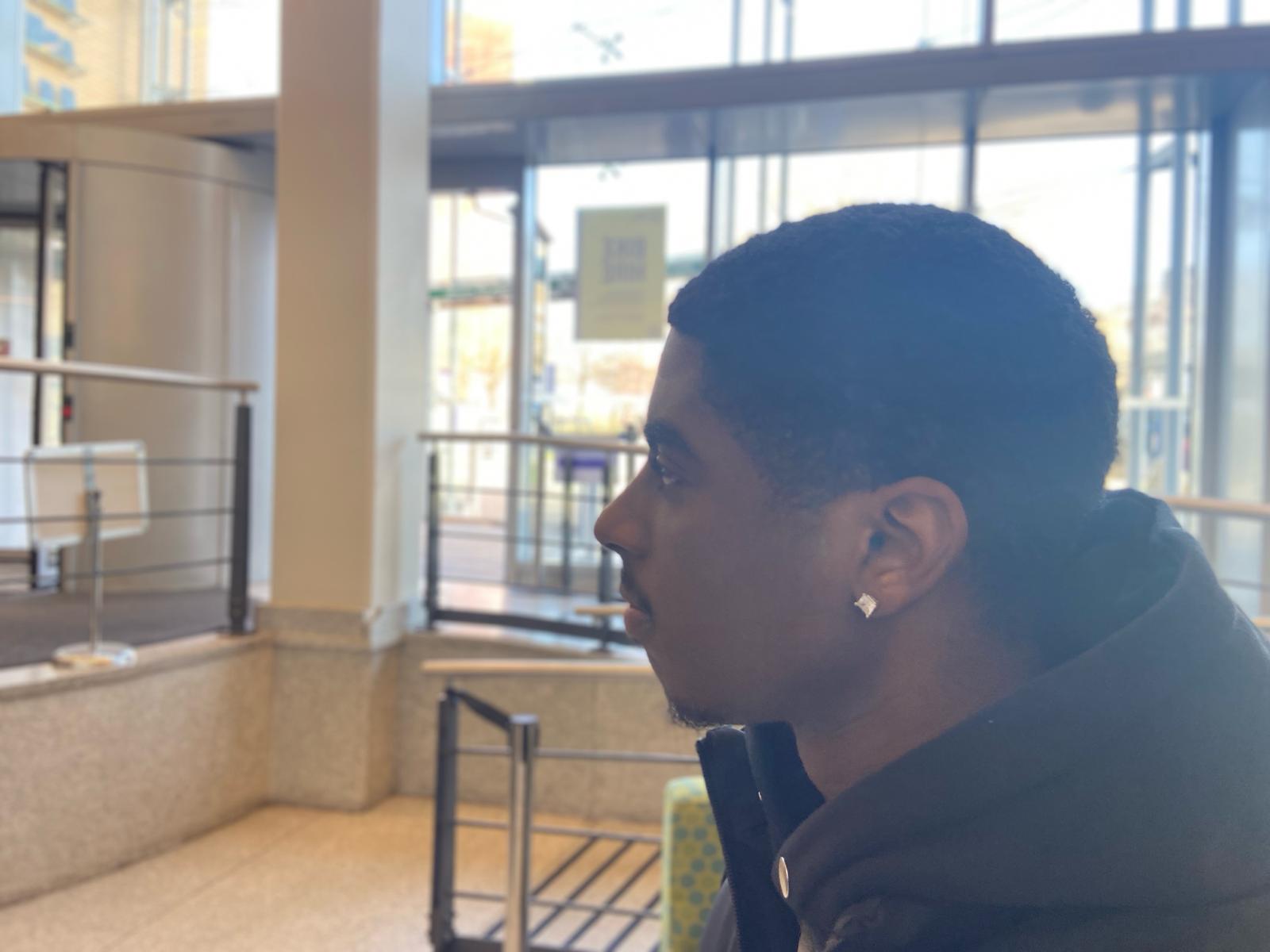
Despite being indoors, the lighting here still allows for a varied field of depth. In this photo I used a low F spot, which is why the focus is only on Carlos.

In this photo you can see much more detail in the background, because I used a higher F spot. In this case 32 on my iPhone.

Local family-run businesses fit right in amongst Leeds’ student climate

Just north-west of Leeds city centre you can find the student capitals of the city; Hyde Park and Headingley, which is where the vast majority of the student population live.

Headingley is a town that holds a wide range of businesses. Some being locally owned, but they stand alongside the big names that you are used to seeing on the high-street, such as KFC, Greggs, and Domino’s.

Hyde Park holds a different variety of amenities, in the sense that they are nearly all local, independently run businesses. Without one main high-street, you can find hidden gems everywhere you look, whether this be somewhere to have a pleasant dining experience, a couple of drinks, or the perfect breakfast to cure a hangover.

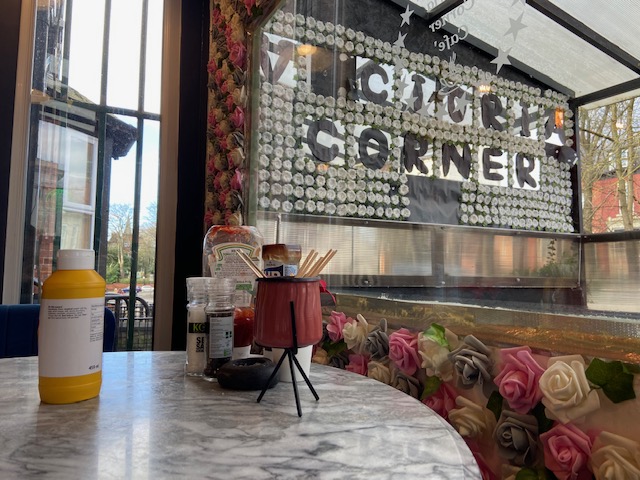
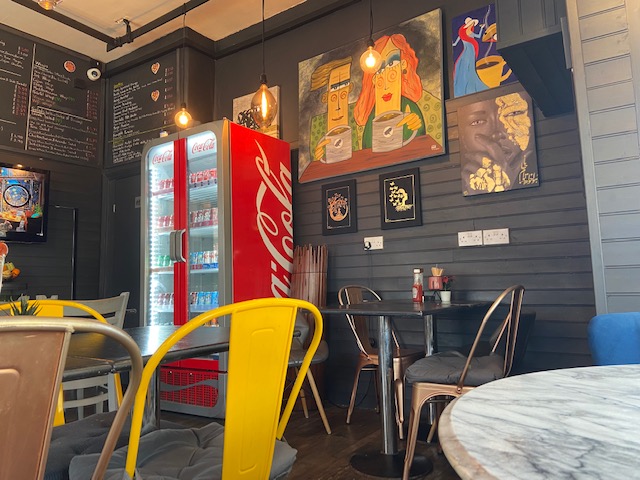
Victoria Corner Cafe is a family-run business in the heart of the student climate, but thrives on the local community and the students who frequently come to enjoy some nice food or coffee. It is always a warm, welcoming environment, and offers the all important student discount.

“Students are our main customers, we love seeing new people, but it is so nice to see the same people here again and again,” said the owner.

Small, local, family businesses are at the heart of every community, and it is no different amongst students. Many students are well aware of the impact that they can have on these smaller independent businesses by choosing them over the huge chains, and are a big reason as to why these small businesses can thrive in Hyde Park.